

Teams & client accounts
One login, many accounts. An agency or a freelance automation specialist keeps each client in its own account, with its own domains, keys, logs, reputation and billing, and switches between them in the dashboard. Clients and teammates get their own logins with a role.
Client accounts
Open the account menu at the bottom of the dashboard sidebar and choose Create account. You become its owner. Each account is fully separate: its own sending domains, API keys, SMTP credentials, webhooks, suppressions, logs and plan. An API key always belongs to exactly one account, so a client’s integration can never send from another client’s domains.
You can own up to three accounts on the Free plan; accounts on a paid plan do not count towards that limit. The dashboard remembers the account you used last and opens it at your next sign-in.
Inviting people
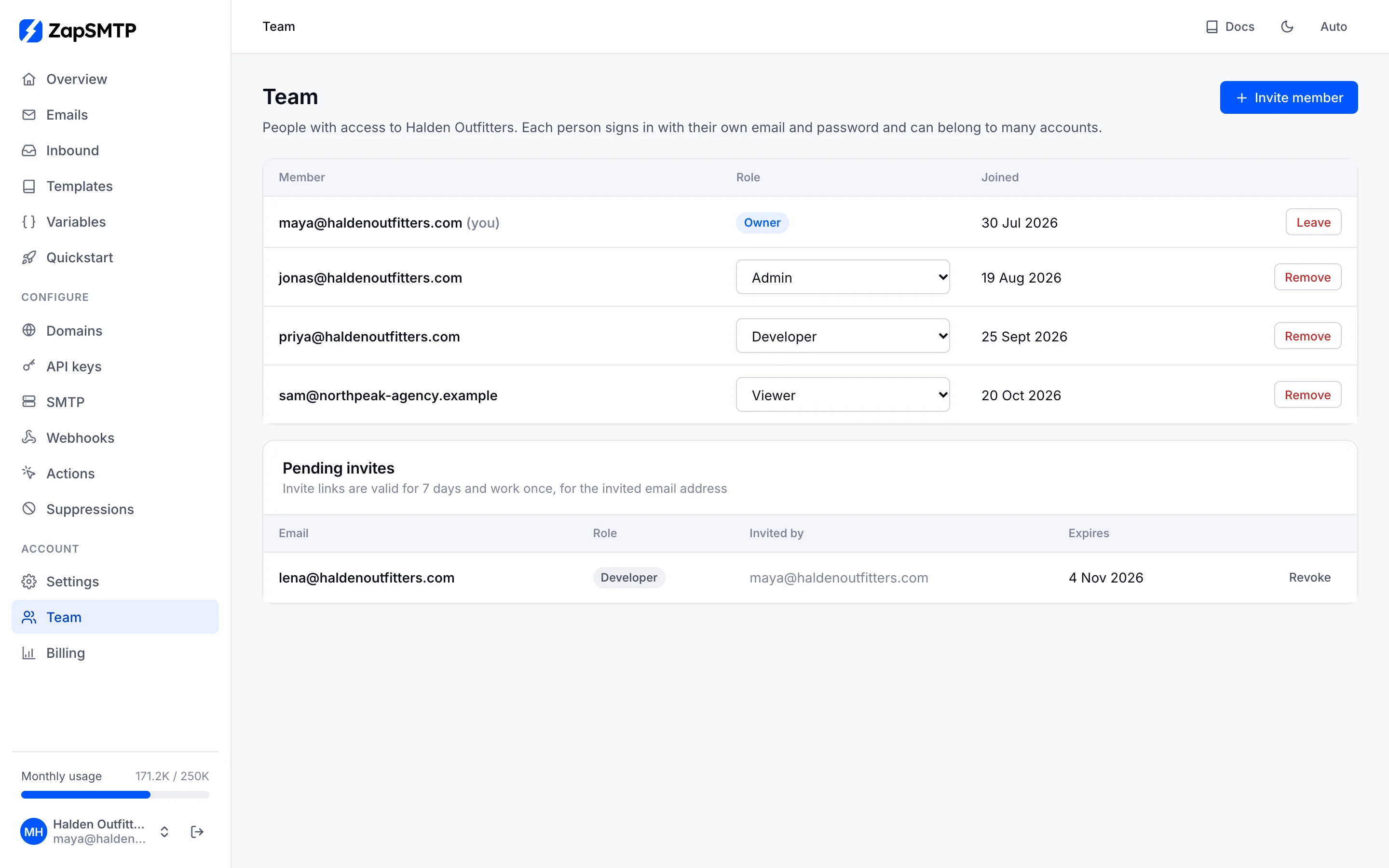
Owners and admins invite people from Team in the dashboard: enter their email and pick a role. ZapSMTP creates an invite link to send them. The link works once, only for that email address, and expires after 7 days. Pending invites can be revoked at any time.
A person who is new to ZapSMTP sets a password on the invite page and lands straight in your account. Someone who already uses ZapSMTP signs in with that email and accepts; the account is added to their account menu next to their own.
Roles
| Owner | Everything: sending, domains, keys, webhooks, the team and billing. Only an owner makes or removes owners, and every account keeps at least one. |
|---|---|
| Admin | Everything except billing, including inviting people and changing their roles (not owners). |
| Developer | Domains, API keys, SMTP credentials, webhooks, templates, inbound and sending. No billing, no team management. |
| Viewer | Read-only: emails, events, logs, statistics and settings. |
Roles apply to dashboard sessions. API keys act for the account, not a person; billing changes always need an owner’s dashboard session, so a key a developer created can never change the plan.
Removing access
Removing a member, or a member leaving, takes effect on their next request; their open dashboard stops working at once. Keys they created keep working, since keys belong to the account: revoke them in API keys if needed. Their other accounts are not affected.